Move Mouse Across Dual Monitor Or Multiple Monitors
The Software Download Offered here can easily move mouse cursor across multiple monitors connected to a computer
How to Move Mouse Across Multiple Monitors
- Download Free to Try Turn Off Monitor Software Utility Now and Install the Software Utility.
- Launch the Software Utility.
- Launch Keyboard Shortcut Software Utility from the System Tray.
- Add a Shortcut Key to C:\Program Files\Turn Off Monitor\Add Ons\MultiMonitor.exe (or locate MultiMonitor.exe in the Turn Off Monitor\Add Ons Software Installation Folder)
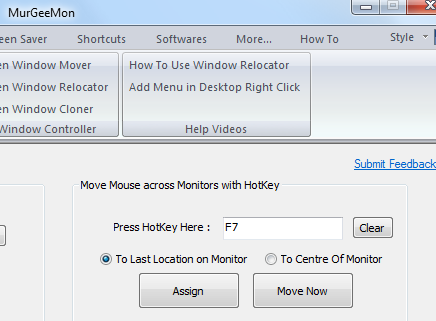
- That's it, now whenever you press the Shortcut Key, the mouse cursor will be moved to the next display / monitor in your multi monitor setup.
- The First Time you use the software to Move Mouse Cursor to the Next Monitor, Mouse Cursor will be placed at the Top Left of the Next Monitor.
- Next Time Onwards the mouse cursor will be placed at the last location where mouse was moved out of the Monitor using the Software.
Turn Off Monitor
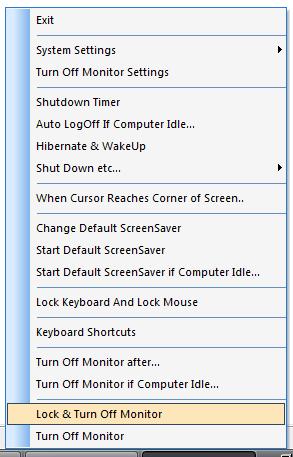
Turn Multiple Monitors Off easily and much more. Click on Image below to view all features of the software download.
Keyboard Shortcut
Click on the image below to find more information about the Keyboard Shortcut Software Utility.

Disable Secondary Monitors
Another Add On provided with Turn Off Monitor can Disable Secondary Monitors connected to a Computer. The Add On will not disable primary monitor connected to a computer.
Computer with Multiple Monitors Connected
Moving Mouse on a Computer with Multiple Monitors or Dual Monitors was never so easy and quick to setup. Download Software Now and automate mouse movement across computer screens. The Software Utility remembers last location of mouse cursor on a computer screen whenever you use the software utility to move mouse to the next monitor.
Contact Us
Download Software, and more