Change or Start Default ScreenSaver
Change default ScreenSaver easily with a single click. Start default ScreenSaver
manually and much more in a small software utility named Turn Off Monitor
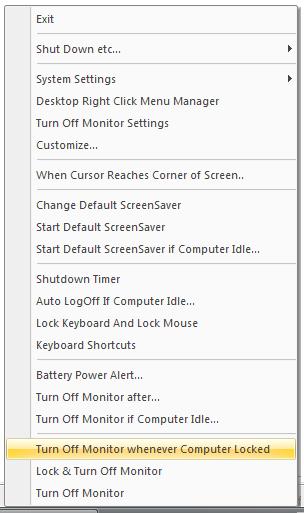
Change Default ScreenSaver using System Tray menu of Turn Off Monitor Utility
- Right Click on Turn Off Monitor System Tray Icon.
- From the List, select Change Default ScreenSaver.
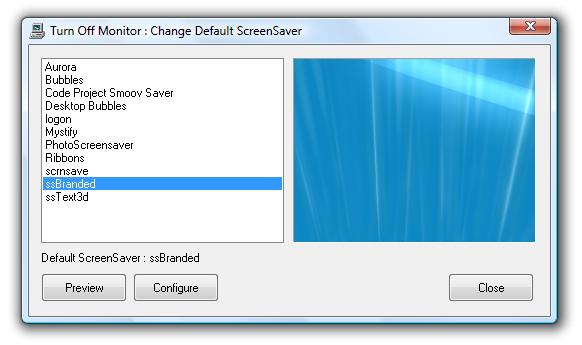
- A Dialog Box will be displayed which will display list of screensavers.
- From the list of ScreenSavers, select the new ScreenSaver, that's it.
- Start ScreenSaver / Preview ScreenSaver easily.
- In case you face any issues, please do write to us.
Download Free Trial of Turn Off Monitor Utility Now
Turn Off Monitor : Change ScreenSaver
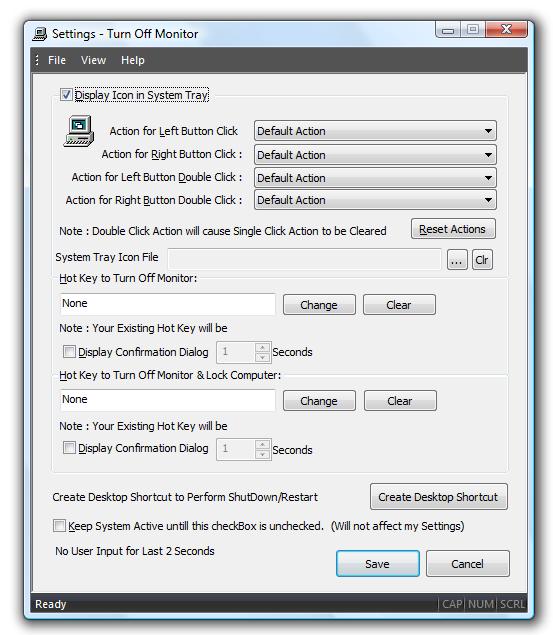
Turn Off Monitor Settings
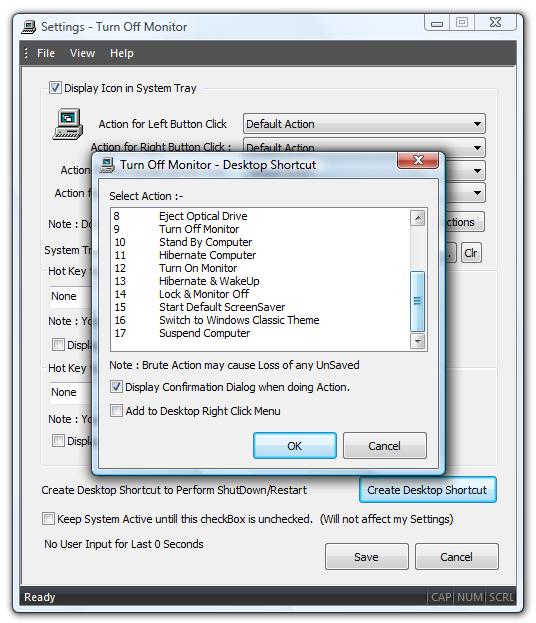
Turn Off Monitor Create Desktop Shortcut
Turn Off Monitor System Tray Menu
Turn Off Monitor Support
- For any Technical/Sales support please do drop an email to support@rtsoftwares.com.
- For Feedback about the Application/Site please do drop an email to feedback@rtsoftwares.com.
Download
Free Trial of Turn Off Monitor Utility Now.
Suggest a Feature for Turn Off Monitor Utility Here
Contact us regarding Turn Off Monitor Utility
Turn Off Monitor Home.